Get started with ORE
Your work, connected. Learn the essentials and find your first workflow in Maestro.
ORE — the Orchestrated Repository for Enterprise — connects documents, people, and approved applications in one workspace. Maestro is your starting point for managing files, collaborating with a team, and asking questions about the content you can access.
New to the platform? Start with a team-approved, non-sensitive sample file. Follow your organization's handling rules before uploading any material.
Before you begin
- An active Maestro account and the URL supplied by your organization.
- Membership in the group or data room you intend to use.
- A supported browser and a file you are authorized to upload.
Need an account? Follow Access and sign-in. A platform role is not a substitute for membership in a team workspace.
Find your way around
Home is your dashboard. Public Files is the shared library for authenticated users; “public” does not mean published to the internet. Groups holds team workspaces. Data Rooms provides controlled sharing. Ask ORE answers questions using accessible content and cites its sources.
The navigation adapts to your permissions. Administrative controls may not appear on your account. This is expected, not a reason to request a broader role.
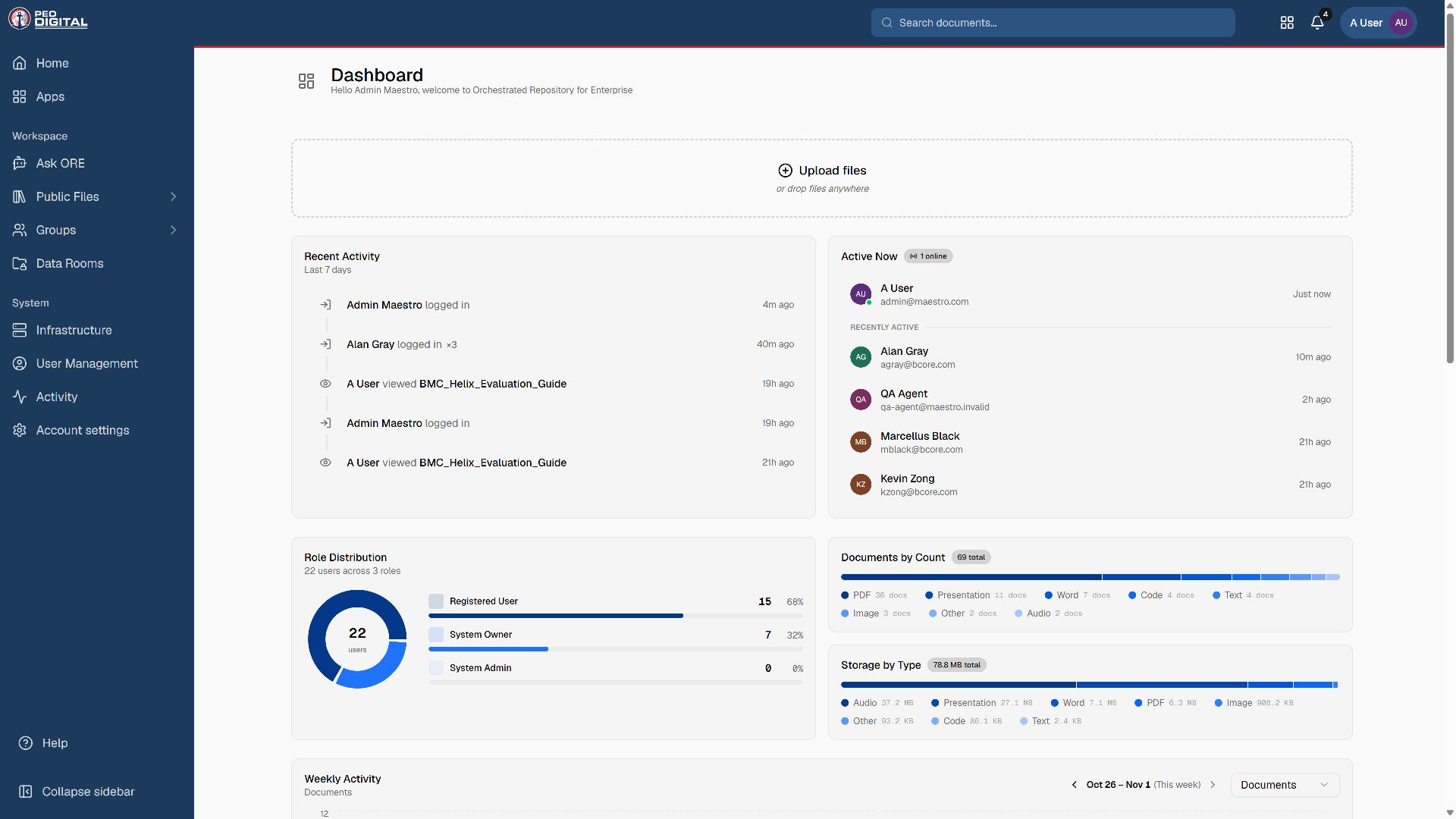
Your first document
- Open the group or data room your team has designated. For material intended for the whole authenticated organization, use Public Files.
- Choose Add File or Upload Files, depending on the destination.
- Select a small sample file, review its display name, and add useful tags.
- Submit the upload and follow its progress. Processing and approval are separate stages.
- Open the document when it is available, then check the title, preview, and approval status.
See Upload documents for the full walkthrough, including pending review and failed uploads.
Choose your next task
- Find and view documents — search, preview, and follow citations.
- Groups and data rooms — choose the right collaboration space.
- Roles and permissions — understand who can do what.
- Onboard and offboard users — administrator checklists.
Get help and stay current
Read the Maestro release notes for product changes. For account or workflow questions, email ore-support@bcore.com. Include the page and error message, but never a password, access token, or sensitive attachment.