Maestro V3 Official Release
Maestro V3.0 focuses on improving our core platform features when it comes to users uploading files, viewing those files, managing other users, and security. The primary objective of this release is show the current state of Maestro and build on the application access control, timeout, video API, document view and more. We’ve also resolved critical UI friction points to improve the core user experience.
New6
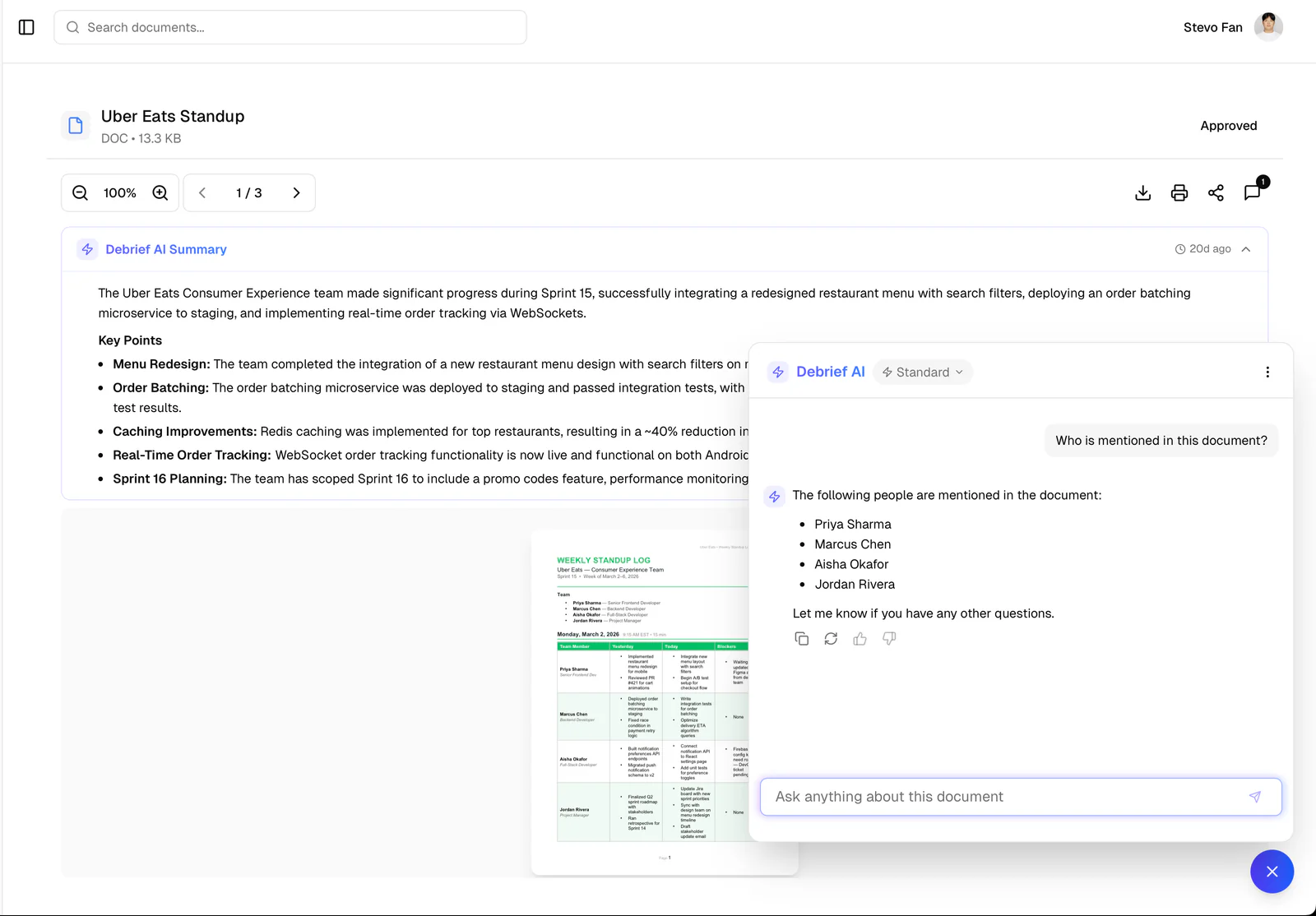
Debrief AI
Creates clear summaries of documents. We also included a built-in AI chatbot that you can ask questions to whenever you need help finding specific information within documents.
Expanded File Support
You can now upload Markdown (.md), Text (.txt), and JSON files natively.
User Roles & System Ownership
We introduced a robust new permissions system! The first user to create an account automatically becomes the System Owner. You can now assign specific roles, ensuring sensitive actions (like document approvals) are restricted to authorized admins only.
Automated Malware Scanning
Every file you upload is now automatically scanned for malware in the backend to keep your workspace safe.
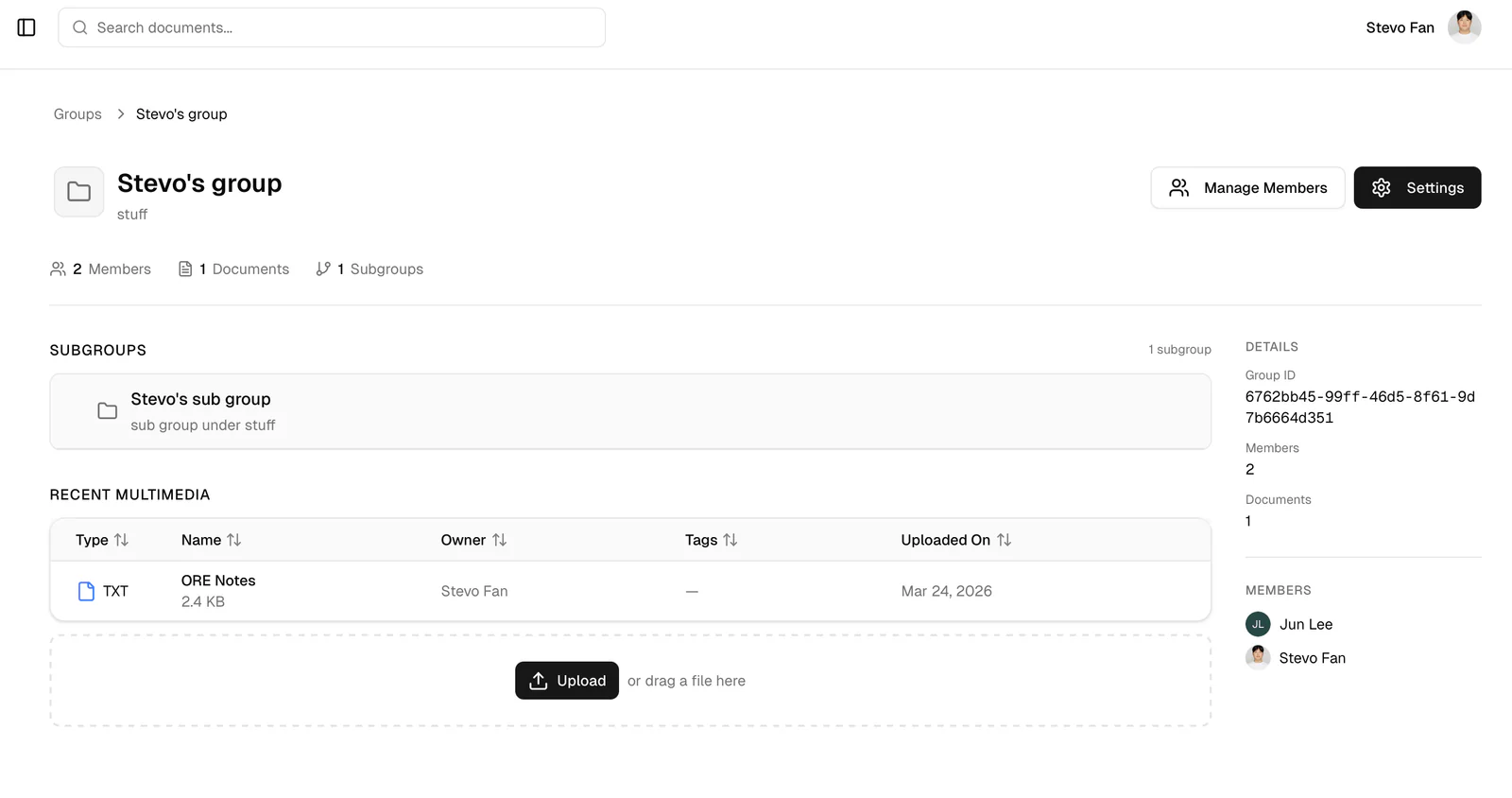
Advanced Group Management
Managing your teams is now easy. We added dedicated tools directly to the Group Details page, allowing you to easily add new users, remove old ones, and manage member access.
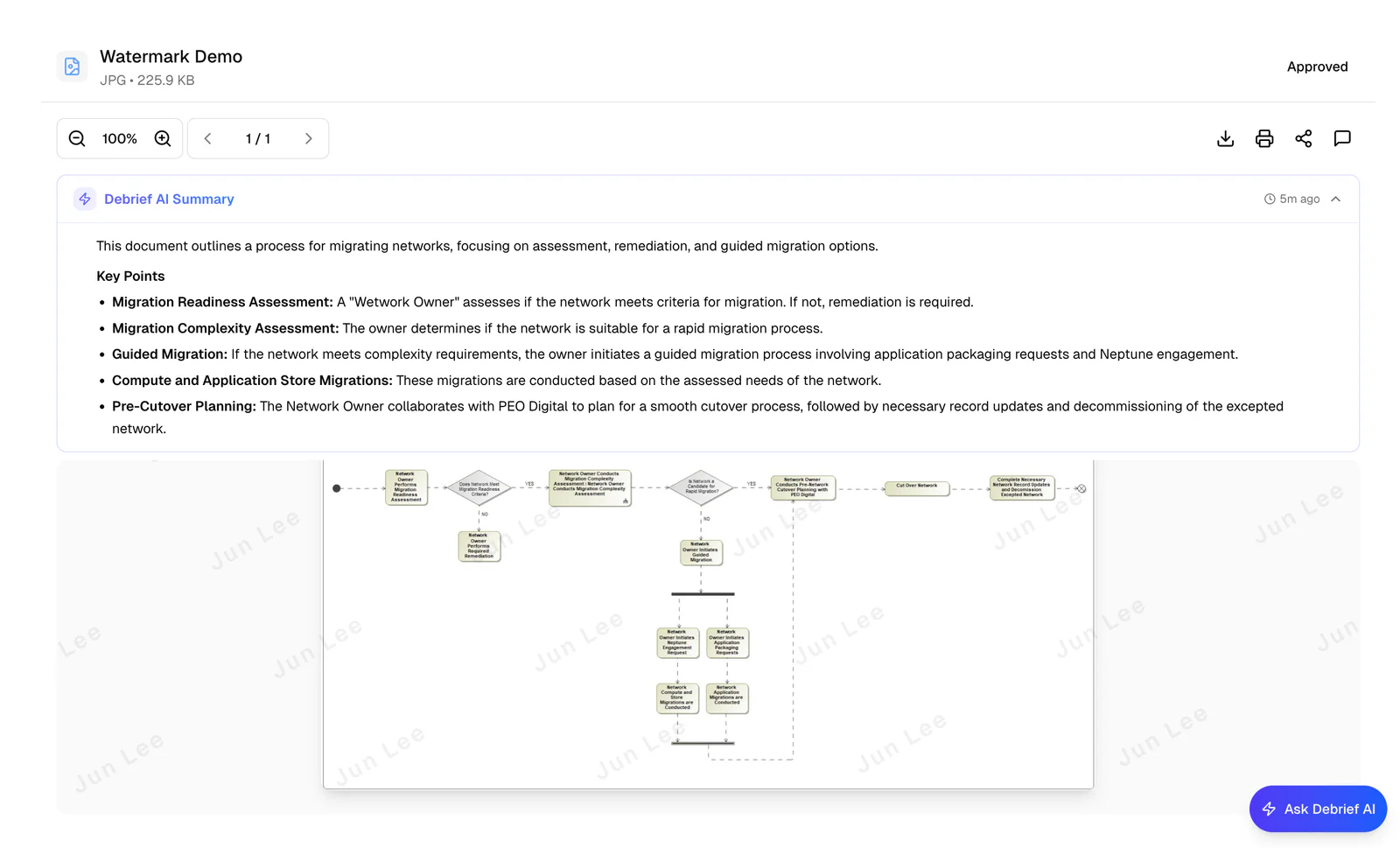
Content Protection
We added robust content protection features, like dynamic watermarks on documents and the option to restrict downloads.
Updates8
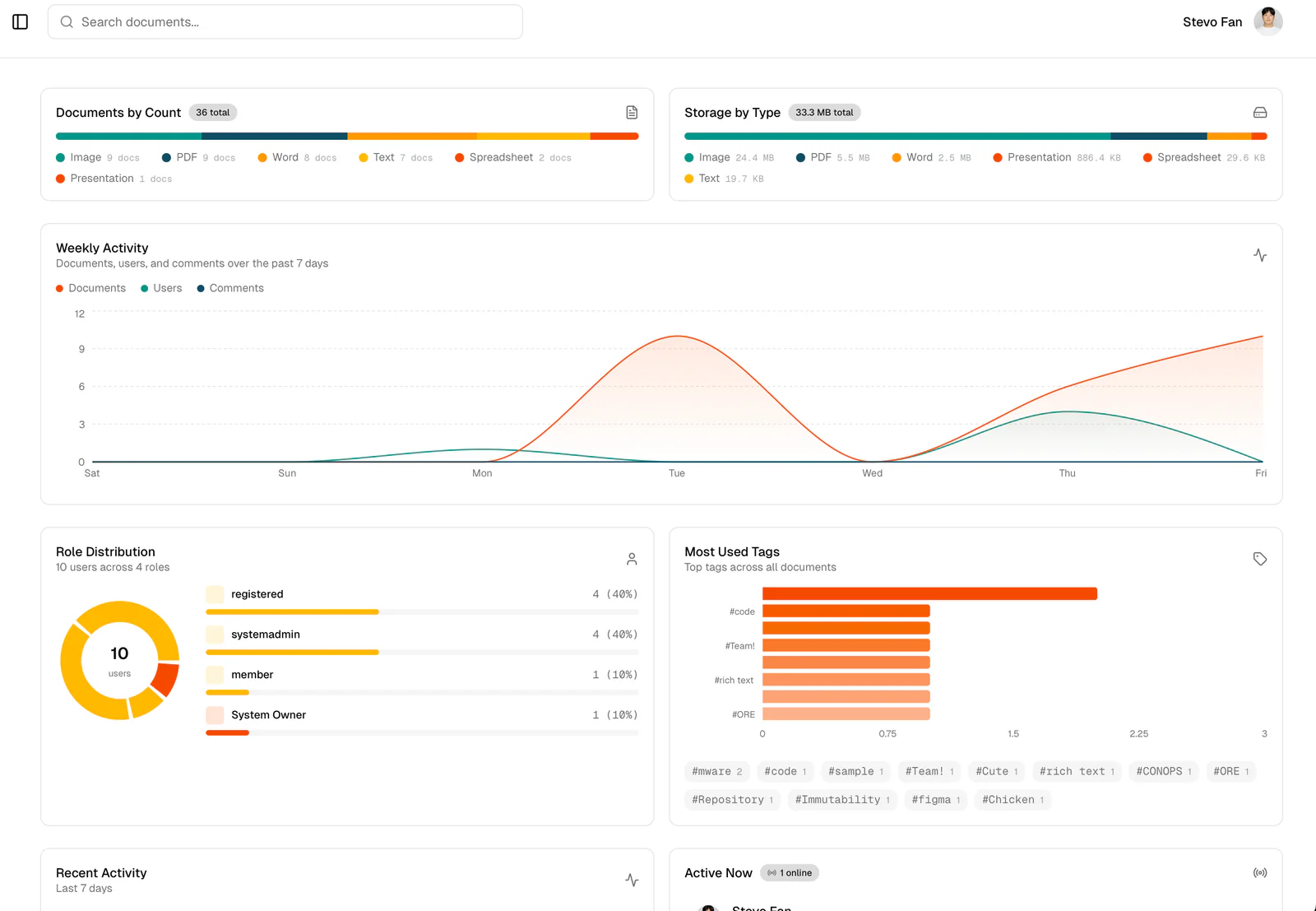
Revamped Dashboard
We overhauled the dashboard to focus on a cleaner, more intuitive overview of your files, group activity, and quick actions to jump back into work.
Better User Tracking
Administrators now have access to a visible activity feed to monitor document engagement and user access patterns.
Streamlined Uploads
We’ve merged file uploading and document creation into a single, seamless step. We also revamped the upload progress tracker—it looks better and stays visible so you always know exactly when your files are ready.
Richer Media Previews
Multimedia cards now display actual visual previews instead of generic icons. We also made entire group cards clickable for much faster navigation.
Smarter Document Viewing
Hyperlinks inside your documents are now fully clickable. To boost data security, we prevented copy/pasting directly from the document view. Plus, when you download a file, it will finally keep its real file name instead of using a confusing index number.
Refreshed Sidebar Navigation
We reorganized the sidebar for a more intuitive flow and added helpful labels when the menu is collapsed so you can always find your way around.
AutoCAD
We resolved library issues to handle the upload and conversion of AutoCAD files to pdf.
Pino logging
implemented across the entire platform. This allows our team to track user account actions and system performance in real-time.
Bug Fixes5
Fixed an annoying issue where the page layout would overflow off the screen if you zoomed past 100%.
Fixed a bug that caused incorrect member counts to display in the group details view.
Group admins are now correctly identified in the user table, and users will properly show up in document activity logs again.
Fixed a visual glitch that caused the admin sidebar to "blink" when initially loading the page.
Cleaned up the upload modal so extra-long file names no longer break the layout.