Maestro V3.2 Data Rooms Expansion and CI/CD Release
Maestro 3.2 matures what 3.1 started. Data Rooms grow from MVP into a full workspace with folders, tabbed navigation, full-screen previews, multi-invite, and read tracking for external viewers. The document experience levels up with browsable version history, a cleaner viewer with in-document search, and multi-file uploads. Under the hood, we stood up a full CI/CD pipeline with automated security scanning, deployments to a dedicated sandbox environment, and expanded Cypress E2E coverage across most of the app.
New5
Folders, Tabs & Full Previews
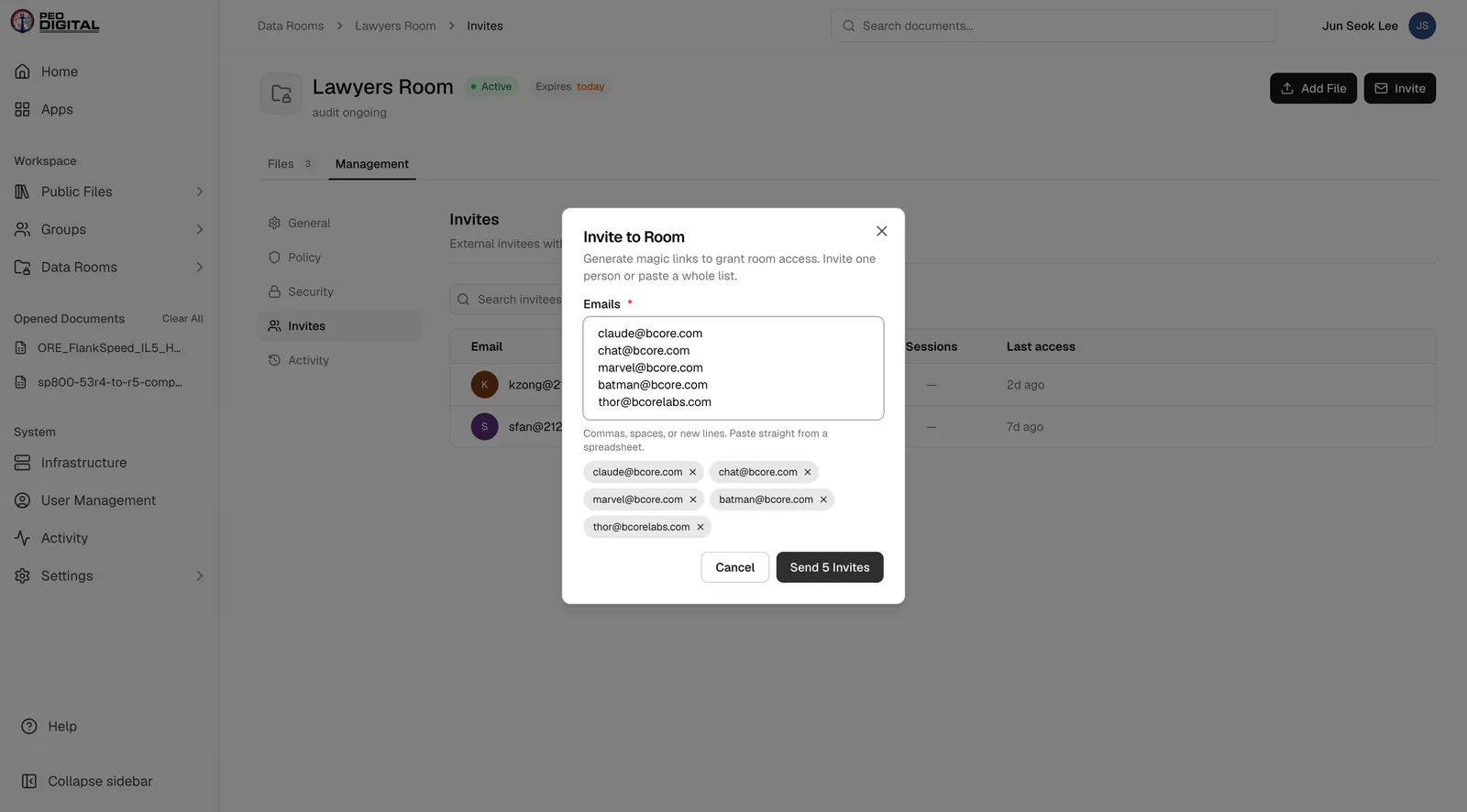
Data Rooms graduate from MVP to a real workspace. Organize files into folders and subfolders with drag-and-drop, navigate rooms with tab-based sections, and open full-screen file previews without leaving the room. Invites can now go to multiple emails at once, expiry is set with a proper date picker, and a search bar in the viewer sidebar helps you find files and folders fast.
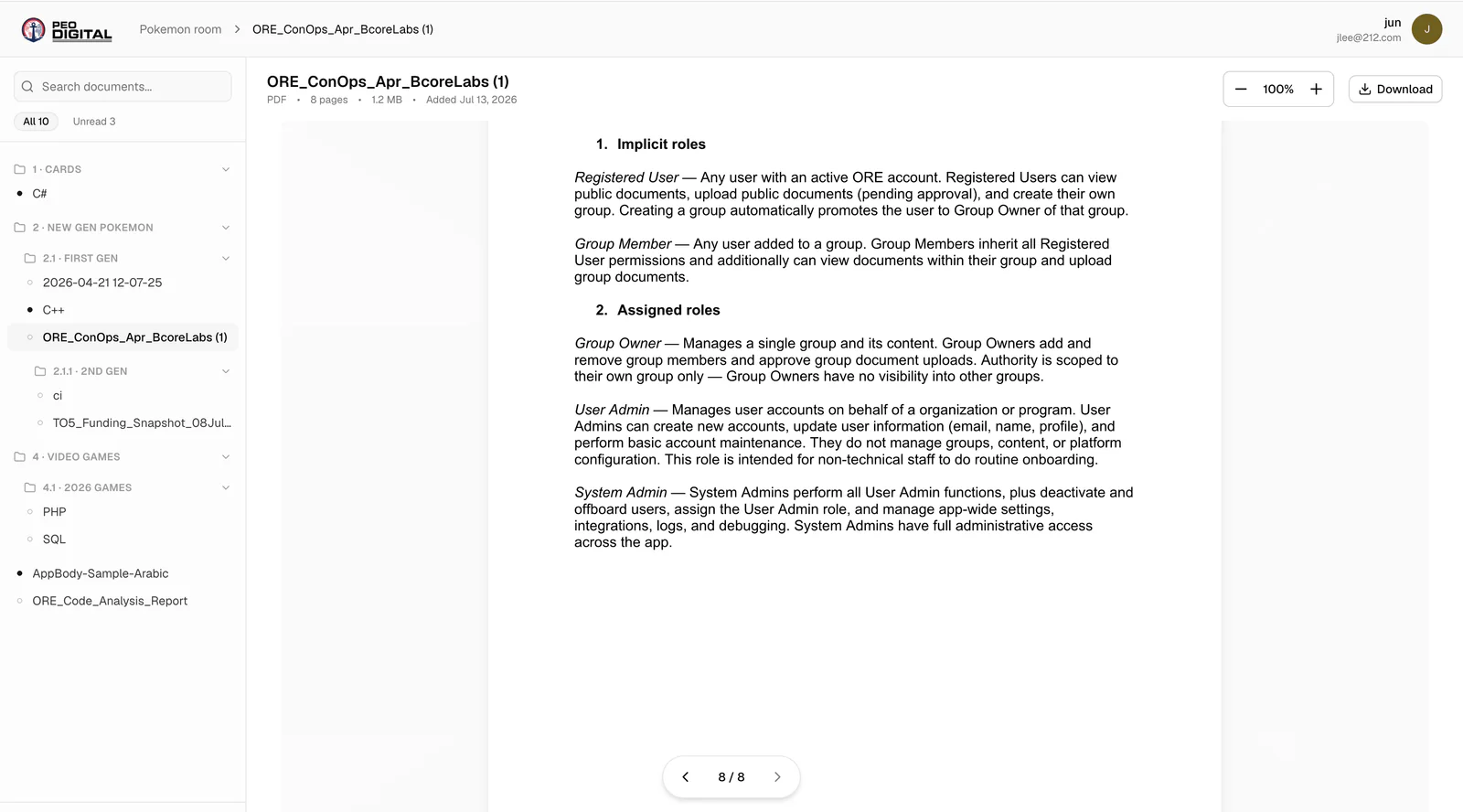
Read & Unread Tracking in Data Rooms
External viewers now see the same folder structure the sender built, and files are marked read or unread with a highlight in the sidebar.
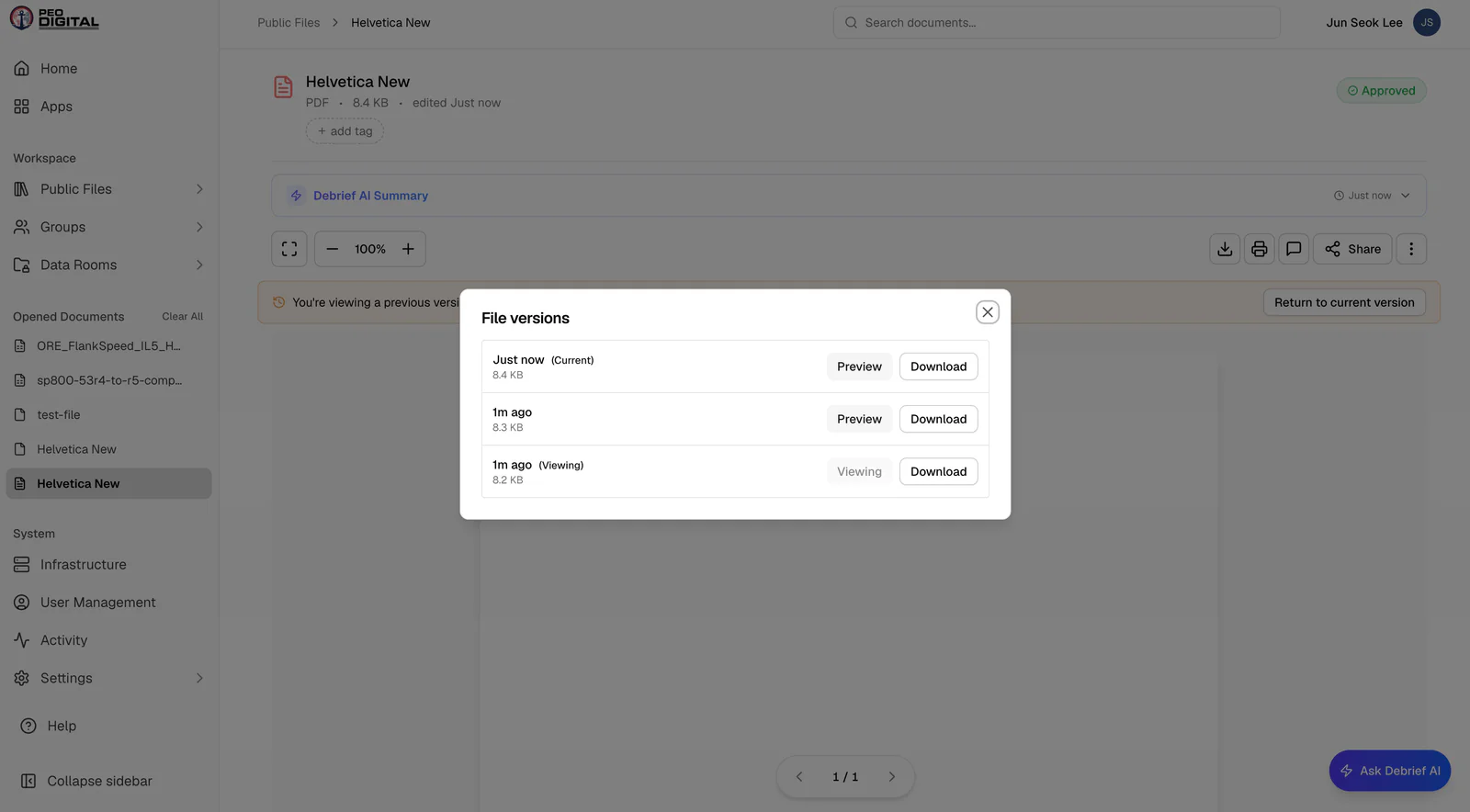
Document Version History
Building on 3.1's File Versioning, you can now open a document's full history right from the preview page and view previous versions side by side. We also untangled live documents from pending updates, so an edit awaiting approval never disturbs the published copy.
Multi-File Upload
Upload more than one document at a time — the upload form automatically adds slots as you go, so batching a folder of files no longer means repeating the process one file at a time.
CI/CD Pipeline & Sandbox Environment (Phase 1)
Every push now flows through automated validation (Semgrep scans) and a scripted build-and-deploy pipeline running on our own Azure infrastructure, with app VMs pulling versioned images from ACR. A dedicated sandbox environment deploys on every push to the sandbox branch for accelerated testing — with its data persisting across deployments — and an Ironmist compliance workflow runs on every PR.
Updates7
Document Viewer Overhaul
Cleaner navigation, zoom, and scroll behavior, a page-jump pill at the bottom of the page, a proper fullscreen button, and Ctrl-F search inside the document itself. Tags and metadata got a cleaner layout, and toolbar actions were reorganized below to match.
Groups Cleanup
Groups now support the same folder structure as Data Rooms, sub-groups have been retired in favor of a flatter model of folders.
Archive Documents
Archiving now extends beyond groups and users to individual documents, keeping the audit trail intact while decluttering your library.
Quality-of-Life
A dedicated user profile and settings page, timestamps that display as relative time, and your view mode, filters, and sorting now persist through your session instead of resetting on every page load.
Expanded File Support
Code files (ts, html, json, and more) can now be uploaded and previewed natively, joining the Markdown, text, and JSON support from 3.0.
Storage Migration
Documents now live on Azure storage instead of Paperless, and VoD metadata moved to Cosmos DB.
Cypress E2E Coverage
Test coverage expanded past the halfway mark from 3.1 — dashboard, global navigation, groups, group details, member management, user management, and user activity all have full test suites now, with documentation to match.
Bug Fixes7
Visual Updates
No more sidebar flash on page change. Video-player blink on load fixed. Full-screen preview pagination works, archiving files asks for confirmation first, toasts follow one consistent format, and video downloads keep their real file names.
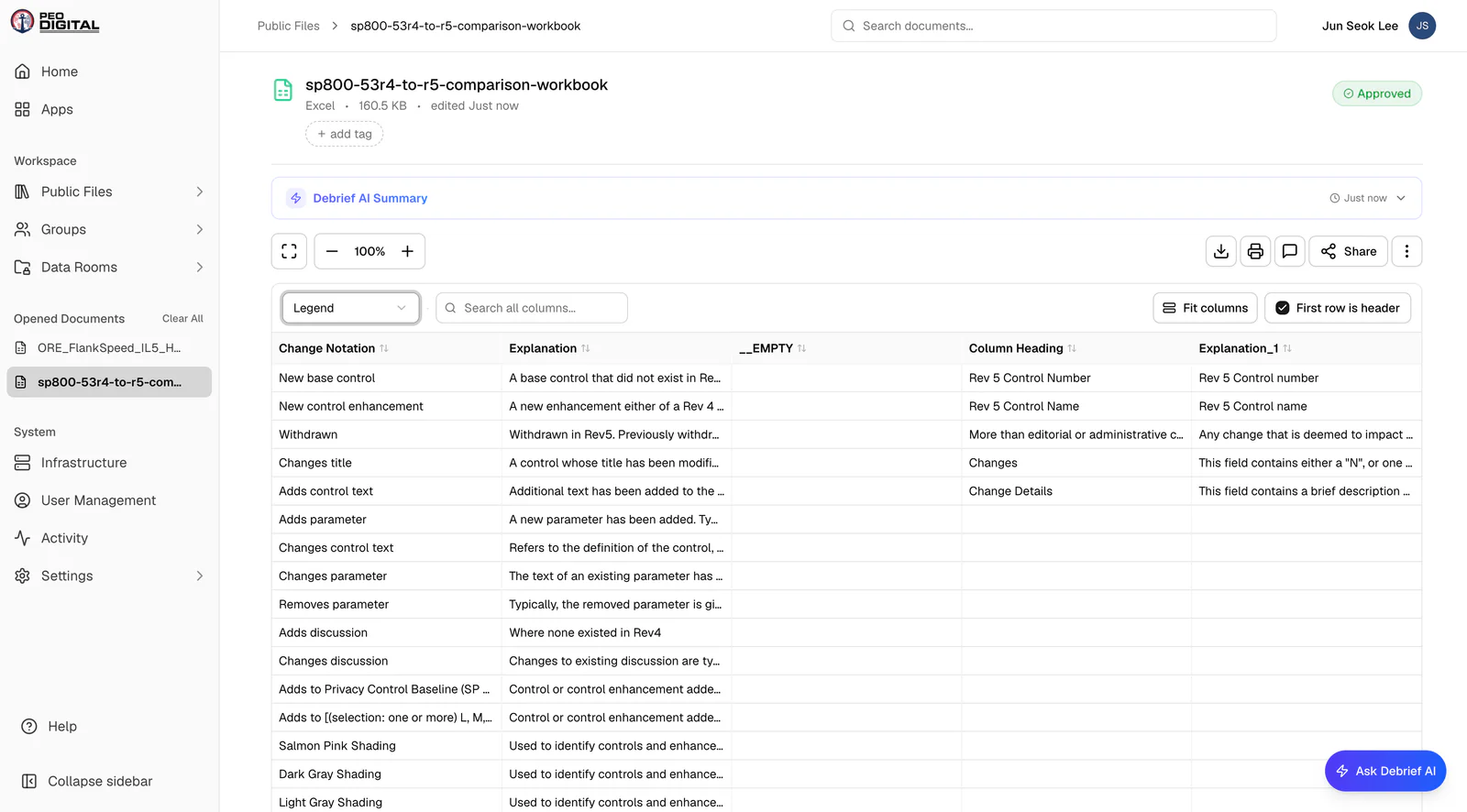
Excel Rendering
Large spreadsheets with hidden rows no longer lose data or fail conversion on upload, and tabular files render properly in preview. Implemented with a separate Excel viewer.
Upload Speed
Fixed the progress-bar regression that made upload times crawl. Small files usually took 25+ seconds now upload in 1/5 of the time.
File Types Round-Trip Correctly
Uploading a .py (or other code) file no longer silently convert to txt. Files download in the same format they were uploaded.
Versioning Fixes
Uploading a new version of a document no longer moves it into rejected documents, and watermarks in Data Rooms now apply to the actual pages only, not the whole screen.
Reset Password
New passwords can no longer match the old temporary password, usernames with spaces are blocked at creation, and the System Owner can delete user accounts again.
Activity & Sessions
Regular users now see their weekly and recent activity widgets (not just admins), logout reliably returns you to the login page, and sessions automatically sign out after 24 hours or when the window closes.